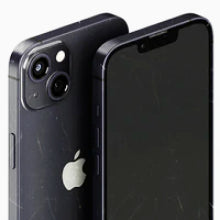


Before buying a pre-owned phone, check its IMEI to see whether the device has been reported and blocked on Australian mobile networks. Dial *#06# on any smartphone to display its unique 15-digit IMEI code, then enter it in the free AMTA lookup tool. It is the quickest way to check a phone’s IMEI in Australia before you hand over any money.
OzMobiles reduces the risk of purchasing pre-owned technology in Australia by testing all Aussie-sourced devices with an automated 80-point Phonecheck process. Our refurbished phones in Australia include iPhones, Samsung Galaxy smartphones and other Android models.
This guide covers how to check a phone’s IMEI in Australia, what an AMTA result does and doesn’t tell you, and the hardware checks that catch fake or modified phones.
Essential checks to verify smartphone authenticity and carrier status
Here is how to tell if a phone is blacklisted in Australia:
-
Dial *#06# to display the device’s IMEI, where supported.
-
Cross-reference the 15-digit code with official network blocking databases.
-
Compare the device’s software information with its model details and physical identifiers where available.
-
Buy from a retailer that clearly explains its device testing, warranty coverage and returns policy.
Understanding IMEI blacklists and network blocking in Australia
While pre-owned technology offers considerable savings, there are dangers involved with buying from the wrong person. With 12,248 Australians reporting losses to shopping scams in 2025, including scams involving online shopping and classified platforms, the risks are worth taking seriously. Checking the IMEI before you buy helps you avoid blocked phones, and pairing it with the hardware checks below helps you avoid fake refurbished phones in Australia.
An AMTA IMEI check result is not proof of ownership, and there can be a delay between a device being reported and its block appearing in the checker. Likewise, a clean initial result on private listings does not guarantee immunity from subsequent carrier blocking if a previous owner files an insurance claim at a later date.
Step-by-step IMEI verification procedure using national databases
You can check whether an IMEI has been reported and blocked on Australian networks using the free AMTA IMEI check tool. Just enter your IMEI number (which you can find by dialling *#06# in the Phone app on the device or in the device’s About settings). It’s important to remember there can be a three- to five-day delay between a device being reported and its block appearing in the checker.
Sometimes a seller can take a smartphone’s internal components and move them into a crisp new outer shell. Known as a chassis swap, this process can camouflage severe structural faults or hide a phone’s true history. Comparing the IMEI shown in software with any identifiers printed on the SIM tray or rear housing can help reveal a chassis swap. Compare the IMEI shown in Settings with the device packaging or other identifiers where available. Some older iPhone models also display the IMEI on the SIM tray, but newer models may not.
OzMobiles checks device IMEIs against the AMTA database as part of its testing and verification process to reduce the risk of purchasing a currently blocked device. Because we run this check before sale, you don’t need to check the IMEI yourself, although you’re always welcome to.

Five-point hardware inspection checklist to catch fake or modified phones
Use this five-point checklist to catch fake or modified phones before you buy:
-
Serial number and IMEI verification
Check that the smartphone’s IMEI number matches the device’s ‘About’ settings, the SIM tray or packaging where it’s printed, and the free AMTA IMEI checker.
-
Check operating system authenticity
Check the software version in Settings and confirm the phone can download official iOS or Android updates. Fake or heavily modified phones often can’t, so this check helps you avoid fake refurbished phones in Australia.
-
Official app store and ecosystem access
Launch the App Store (on iOS) or the Google Play Store (on Android) to see if you need an official Apple Account or Google Account to log in. You can also attempt to log into native ecosystem apps like iCloud or Google Wallet, which clones cannot authenticate.
-
Display calibration and panel quality
The borders around the screen often give away the phone’s authenticity. If the previous owner has replaced the phone’s premium OEM OLED panels with lower-quality LCD screens, the bezels will often be thick or uneven. OLED phones also have almost perfect blacks with no backlight bleed, while LCD screens have a grey backlight glow.
-
Camera performance
Test every zoom level in the digital camera app, as sometimes counterfeit phones hit the market that lack ultra-wide or true telephoto lenses.
If a pre-owned phone arrives with iCloud or Google Factory Reset Protection active, it is likely to be lost, stolen or improperly processed. Never buy a smartphone if the seller refuses to remove these locks before shipping it.
Comparing consumer protection across private sellers and direct retailers
Buying a pre-owned phone from a private seller can offer fewer consumer protections than buying from a business. Most consumer guarantees do not apply to private sales, although protections relating to title, undisturbed possession and hidden debts or charges still apply. Buying from an overseas business can also make returns, repairs or refunds more difficult in practice.
|
Channel Type |
IMEI Blacklist Protection |
Hardware Testing Protocol |
Consumer Law Protection |
Warranty Coverage |
|
Classifieds / Social Media Sellers |
High risk of delayed blocking |
None (visual check only) |
Most consumer guarantees do not apply to private sales |
Depends on the seller and any express warranty offered |
|
Overseas Drop-Shippers |
Variable carrier compatibility |
Basic manual review |
ACL may apply; remedies can be harder to obtain |
Difficult returns process |
|
OzMobiles Specialist Retailer |
IMEI checked against the AMTA database as part of pre-sale verification |
Automated 80-point Phonecheck process |
Australian Consumer Law protections apply, subject to the transaction and applicable law |
12-month OzMobiles Guarantee, subject to its terms |
Diagnostic benchmarks and automated 80-point Phonecheck standards
Battery life is important to any smartphone user, yet buying pre-owned smartphones can be a gamble in terms of quality and longevity. Luckily, it doesn’t have to be. Here is how OzMobiles tests every device to ensure battery life quality.
Professional refurbishers like OzMobiles test every device with an automated 80-point process. Phonecheck works like a “roadworthy certificate” for phones: it runs the same 80 diagnostic checks in the same order every time, which removes human bias from the result. The checks include battery health, which we confirm is at least 80% before sale.
In fact, the OzMobiles Battery Health Guarantee means that if your phone’s battery health drops below 80% during the 12-month warranty period, we’ll repair or replace it free of charge.
OzMobiles’ in-house Melbourne technicians perform professional battery installations and hardware checks to take the risk out of pre-owned purchases.

Brand-specific security red flags for Apple and Samsung devices
Both Samsung Galaxy smartphones and iPhones can experience common problems like overheating or battery drain. Because they run on two different ecosystems, however, they also show brand-specific red flags that can indicate a compromised or counterfeit device. Checking the IMEI of a phone in Australia helps to identify problems, but there are more safeguarding measures you can try for each model.
1: Identifying fake iPhones, chassis swaps and active iCloud locks
Some of the most common iPhone red flags include:
-
Fake layouts
High-end counterfeit iPhones try to mimic iOS with a slimmed-down version of Android, but an odd-looking layout in the App Store will reveal the truth.
-
Thick bezels
On real iPhones, bezels are thin and uniform. On counterfeit models or iPhones with swapped chassis, they often have thick bottom bezels because LCD panels can’t bend at the bottom like the genuine article.
-
Warning messages in Parts & Service History
Check Parts & Service History in Settings > General > About. An ‘Unknown’ message may indicate a non-genuine, unverified, modified or improperly functioning replacement part, depending on the device and repair history.
-
An ‘iPhone Locked to Owner’ message
If the device says ‘iPhone Locked to Owner’ or asks for the previous owner’s Apple Account and password when you turn it on, that’s a sign of an active iCloud lock.
2: Detecting counterfeit Samsung Galaxy devices and modified Android firmware
Buying a pre-owned Samsung comes with risks, including hardware failure and modified malicious firmware. Common warning signs of trouble include:
-
Inferior camera capabilities
Cloned phones often use lower-grade camera sensors. On an Ultra model, missing 8K video recording or 100x Space Zoom is a strong sign of a fake.
-
Thicker bezels and a faint grey glow
Like iPhones, Samsung phones usually have thin bezels and screens with deep black shades when the screen is completely black. Anything else suggests a replacement or non-genuine screen.
-
A device that’s not certified
Open the Google Play Store, go to Settings > About and check the Play Protect certification. If the device shows ‘Device is not certified’, investigate further.
This can occur on rooted or modified devices or where the device has failed Google’s Play Protect certification checks, but it does not by itself prove the phone is counterfeit.
Where to buy certified refurbished phones in Australia

While it’s important to know how to check if a phone is blacklisted in Australia, buying from a retailer that runs these checks before sale takes most of the work off your hands.
You can find certified refurbished phones in Australia on the OzMobiles website. OzMobiles has refurbished iPhones and refurbished Samsung Galaxy phones that have undergone our 80-point Phonecheck testing process and include 12-month warranties and 30-day money-back guarantees.
The OzMobiles Price Beat Guarantee means that if you find a better deal somewhere else, we’ll beat that price by $10 (terms and conditions apply).
To find out more, contact our Melbourne customer support team.


