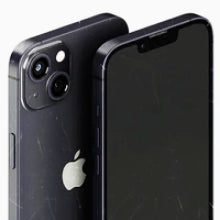


Your phone came preloaded with apps. Almost none of them were built for life in Australia.
Every phone arrives as a blank slate. The defaults will get you an email inbox and a web browser, but they will not pay a toll, warn you about a flash flood, or prove who you are to Centrelink. That part is on you, and it is the part that decides how useful your phone really is.
The good news: almost every app worth having here is free, and works on both iPhone and Android. If you have just bought a refurbished phone from OzMobiles, you are starting from an even cleaner slate: every device we sell is data-wiped and Phonecheck-certified before it ships. Here is what to put on it, grouped by what each app actually does.
Money & payments
Check, move and split your money


The single most useful app on this list. Every major Australian bank has a free app to check balances, move money, and freeze a card the second you misplace it. The real magic is PayID: send money to a phone number or email and it lands in seconds. Set it up first, then turn on fingerprint or face login.
Find your bank in the App Store or on Google Play.

Splitting a bill or paying back a friend used to mean swapping BSB and account numbers across the table. Beem skips all that: send, request and split money instantly with anyone else on the app. The quiet fix for share-house bills, group presents, and the mate who always forgets their wallet.


Government, health & ID
The admin you only notice when you need it
The front door to Centrelink, Medicare and the ATO, all behind a single login. Since the standalone Medicare app retired, your digital Medicare card and claims live here too. Turn on the sign-in code generator so a forgotten password never locks you out, even overseas.

Australia's Digital ID. It lets you prove who you are online without emailing copies of your licence and passport to every service that asks. More than 185 government services already accept it, with private businesses joining soon. Set it up once at the strongest identity level you can manage.

Track every parcel in one place, reschedule a delivery you are going to miss, and authorise a safe drop so you are not stuck waiting by the door. The tracking alone earns its spot, especially in December when half the country is refreshing a tracking page.
Getting around
Drive, ride or catch the train
It comes preinstalled on most phones, but it earns a mention because it does far more than basic directions. Live traffic reroutes you around a jam before you hit it, public transport times are built in, and you can download an entire city to use offline before you lose signal in a tunnel or out bush.


Every state runs its own, and they are all free. Opal Travel in New South Wales, the PTV app in Victoria, Translink in Queensland, Transperth in WA, and equivalents everywhere else. Plan a trip, check live departures, and see how much credit is left on your card before you tap on. Grab the one for wherever you live.
Search your state's transport app in the App Store or on Google Play.

Drive on a toll road in Sydney, Melbourne or Brisbane and Linkt keeps your account, tags and trip history in one place. Only the occasional toll and no tag? Its companion app LinktGO lets you pay as you go on most Australian toll roads without an account. Either way, it beats a surprise bill turning up weeks later.
Weather & emergencies
For when Australian conditions turn
Built by Australia's emergency services, Emergency+ does one thing brilliantly: it puts your exact GPS location, and its what3words address, right on the screen so you can read it straight to the Triple Zero operator. In the bush, at the beach, or on a back road with no signposts, that can save the minutes that matter.

The official app from the Bureau of Meteorology, and the one to trust when the sky turns. It pulls straight from the source: hourly and seven-day forecasts, live rain radar, and push warnings for storms, floods and fire. Third-party weather apps guess and serve you ads. This one just tells you what is coming.
Saving money & loyalty
Small wins that add up over a year
The loyalty program behind Coles, Kmart, Target and a long list of partners. Add your card to the app, scan it at the checkout, and points tick over in the background. The real value is the personalised offers: activate them before you shop and the savings come off automatically. Worth it if you shop at any of those stores.

Woolworths' version of the same idea, covering Woolworths, BIG W and BWS. Scan the digital card to collect points, switch on the boosted offers each week, and once you reach 2000 points you can turn them into ten dollars off a shop or send them to Qantas. If your weekly groceries come from Woolworths, this is the one to carry.

This one is almost a cheat code. Open the app, lock in the current price for a fuel type, and you have seven days to fill up at that price at any 7-Eleven, even if the pump price has climbed since. The saving is capped at 25 cents a litre, so it pays to lock in when you spot a cheap one. Worth a look any time you know a top-up is coming.

A feel-good one. Cafes, bakeries and grocers list their unsold food at the end of the day as discounted Surprise Bags, and you grab one through the app for a fraction of the normal price. It is live in Melbourne, Sydney, Brisbane and a growing list of cities, so check whether it has reached yours. Good food saved, money kept.
Security & protecting your phone
Lock down your whole digital lifeYour phone holds your bank, your email, your photos and a fair chunk of your identity, so it is worth a few minutes to lock it down. If you bought yours from OzMobiles it arrived data-wiped and Phonecheck-certified, a clean and secure place to start. These three keep it that way.

A password manager is the biggest single upgrade you can make to your online safety, and Bitwarden is a great place to start: the free plan is genuinely free, with unlimited passwords synced across all your devices. It builds and remembers a strong, unique password for every account, so one leaked website no longer puts the rest at risk. Prefer not to install anything? The password manager built into your iPhone or Android does the core job too.

Passwords alone are not enough for the accounts that matter. An authenticator app adds a second step: a six-digit code that refreshes every thirty seconds, so even someone who has your password still cannot get in. Google Authenticator and Microsoft Authenticator are both free. Switch it on for your email and banking first, since those unlock everything else.
This one is already on your phone, you just have to switch it on. Find My on iPhone and Find My Device on Android let you see your handset on a map, make it ring, lock it, or wipe it remotely if it is truly gone. Set it up now, while you can, rather than after you have left it in a taxi. Two minutes today saves a very bad afternoon later.
Already built into your iPhone or Android. Just turn it on in Settings.
A phone that's ready for all of them
All these apps deserve a phone that keeps up. At OzMobiles, every refurbished phone is tested, graded and backed, so you can spend your time setting it up the way you like, not worrying about it.
OzMobiles is 100% Australian-owned and operated, with local support if you ever need a hand.


